
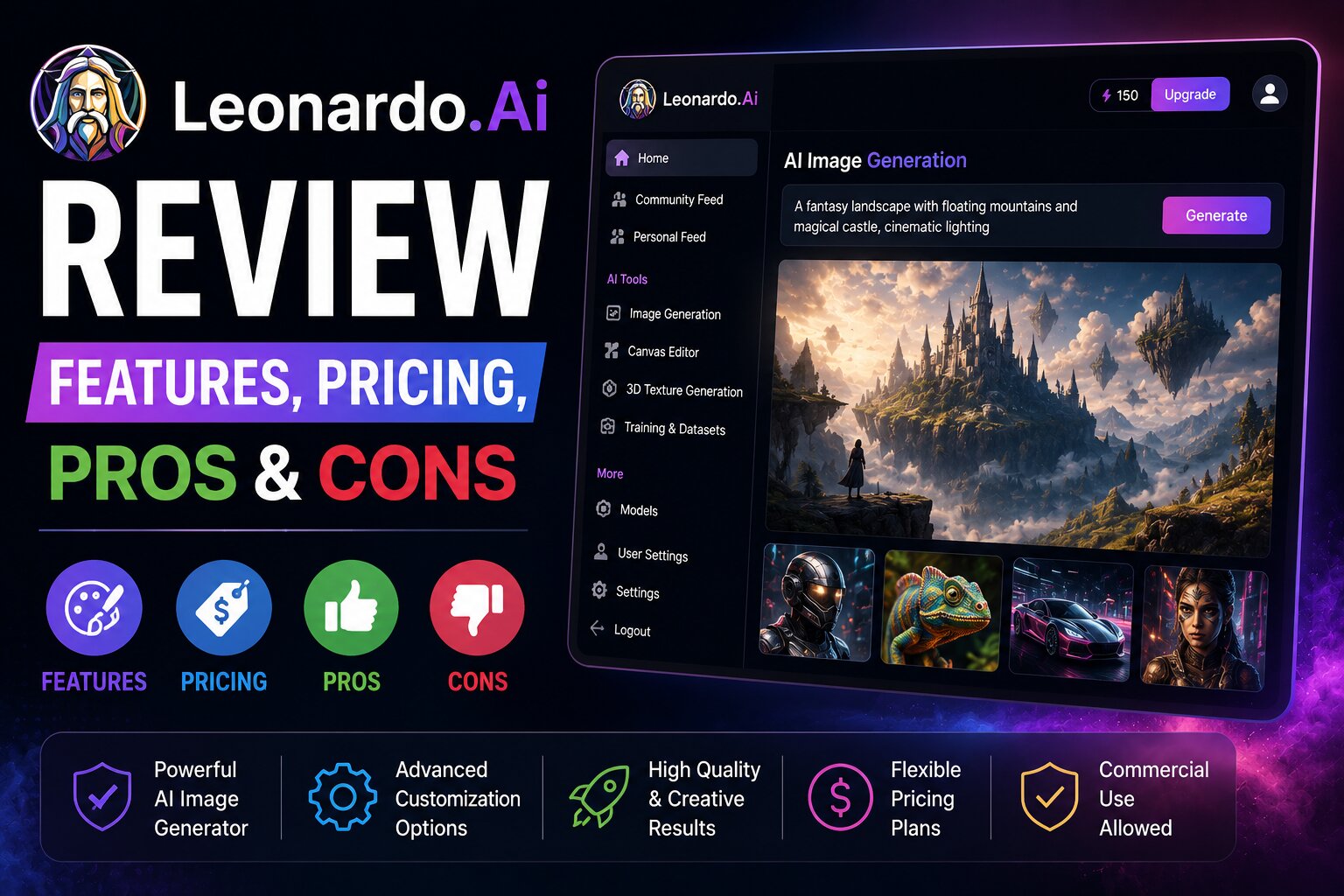
Artificial intelligence has completely changed digital art and content creation. Among the many AI image generators available today, Leonardo AI has become one of the most popular choices for artists, designers, game developers, marketers, and content creators.
Unlike many AI image generators that focus only on creating simple images, Leonardo AI offers advanced creative controls, custom AI models, image editing tools, and high-quality outputs that make it suitable for both beginners and professionals.
In this comprehensive review, we’ll explore Leonardo AI’s features, pricing, free plan, strengths, weaknesses, and whether it’s worth using in 2026.
What is Leonardo AI?
Leonardo AI is a powerful AI-powered image generation platform that transforms text prompts into high-quality artwork, illustrations, concept art, realistic photos, and digital assets.
It uses advanced generative AI models to create unique visuals in seconds and includes powerful editing tools that allow users to refine their creations without needing advanced design skills.
Leonardo AI is widely used for:
- AI artwork
- Game assets
- Character design
- Book illustrations
- Product mockups
- Website graphics
- YouTube thumbnails
- Social media posts
- Marketing materials
- Concept art
Key Features of Leonardo AI
1. AI Text-to-Image Generation
The core feature of Leonardo AI is its ability to generate impressive images from simple text prompts.
Example:
A futuristic cyberpunk city at night with neon lights, flying cars, cinematic lighting, ultra realistic, 8K.
Within seconds, Leonardo AI generates multiple high-quality variations.
2. AI Canvas
Leonardo AI includes an advanced editing workspace called AI Canvas.
With AI Canvas you can:
- Expand images
- Edit specific areas
- Replace objects
- Paint new elements
- Remove unwanted items
- Improve compositions
This feature gives creators much more control than standard image generators.
3. Real-Time Image Generation
Leonardo AI supports real-time generation, allowing users to see prompt changes reflected almost instantly.
This makes experimenting with different styles much faster.
4. Custom AI Models
One of Leonardo AI’s biggest strengths is the ability to work with multiple AI models.
Users can choose models optimized for:
- Realistic photography
- Anime
- Fantasy art
- Game assets
- Illustration
- Concept art
- Architecture
- Product rendering
Some plans also allow users to train custom models for consistent outputs.
5. Image-to-Image Generation
Instead of starting from scratch, you can upload an existing image and ask Leonardo AI to transform it into a completely new style.
Examples include:
- Pencil sketch → Realistic photo
- Photo → Anime
- Illustration → Watercolor
- Character → Sci-fi version
6. Background Removal
Leonardo AI includes AI-powered background removal tools that make creating product images and marketing graphics much easier.
7. Upscaling
Need higher resolution?
Leonardo AI can upscale images while preserving details, making them suitable for:
- Printing
- Website banners
- Posters
- Product catalogs
- High-resolution presentations
8. Prompt Guidance
Leonardo AI provides prompt assistance that helps users create better images with more detailed descriptions.
This is especially useful for beginners.
Pros
- Outstanding image quality
- Excellent for concept art
- Beginner-friendly interface
- Powerful editing tools
- AI Canvas offers great flexibility
- Fast image generation
- Daily free credits
- Multiple AI models
- Supports image editing
- Great community resources
Cons
- Free plan has daily generation limits.
- Some advanced features require a paid subscription.
- Learning advanced prompt techniques takes time.
Leonardo AI Pricing
Leonardo AI offers both free and paid subscription options.
Free Plan
The free version includes:
- Daily AI generation credits
- Access to popular AI models
- Basic editing tools
- Community models
- Standard image generation
Paid Plans
Premium plans typically include:
- More daily credits
- Faster image generation
- Priority access
- Advanced AI models
- Higher-resolution outputs
- Additional editing features
- Increased storage
Pricing and available features may change over time, so check the latest plans before subscribing.
Is Leonardo AI Free?
Yes.
Leonardo AI offers a generous free plan with daily credits, allowing users to create AI-generated artwork without paying.
This makes it one of the best free AI image generators for beginners who want to explore advanced image creation.
Best Use Cases
Leonardo AI is ideal for:
- Game development
- Character creation
- Fantasy artwork
- Digital illustrations
- Book covers
- YouTube thumbnails
- Blog featured images
- Product mockups
- Marketing campaigns
- Website graphics
- NFT concepts
- Storyboarding
How to Use Leonardo AI
Creating AI artwork is simple.
Step 1
Create a Leonardo AI account.
Step 2
Open the Image Generation workspace.
Step 3
Write a detailed prompt.
Example:
A majestic medieval castle surrounded by snowy mountains during sunrise, realistic fantasy art, ultra detailed, cinematic lighting.
Step 4
Choose an AI model.
Step 5
Adjust image settings.
Step 6
Generate multiple image variations.
Step 7
Use AI Canvas for additional editing if needed.
Step 8
Download your finished image.
Prompt Examples
Fantasy
Giant dragon flying over an ancient kingdom during sunset, cinematic fantasy artwork, ultra detailed.
Product Photography
Premium smartwatch on black marble with dramatic lighting, luxury commercial photography.
Architecture
Modern luxury villa with infinity pool overlooking the ocean, realistic architectural visualization.
Gaming
Female cyberpunk warrior wearing futuristic armor in neon city, concept art, highly detailed.
Nature
Beautiful waterfall deep inside a tropical rainforest, photorealistic, golden sunlight.
Tips for Better Results
To improve image quality:
- Be descriptive.
- Mention the desired art style.
- Specify lighting.
- Include camera angles.
- Describe colors.
- Mention image quality.
- Use keywords such as:
- ultra realistic
- cinematic
- highly detailed
- concept art
- digital painting
- 8K
- studio lighting
Better prompts produce significantly better results.
Leonardo AI vs ChatGPT Image Generator
| Feature | Leonardo AI | ChatGPT Image Generator |
|---|---|---|
| Image Quality | ⭐⭐⭐⭐⭐ | ⭐⭐⭐⭐⭐ |
| Prompt Understanding | ⭐⭐⭐⭐☆ | ⭐⭐⭐⭐⭐ |
| Image Editing | ⭐⭐⭐⭐☆ | ⭐⭐⭐⭐⭐ |
| AI Models | ⭐⭐⭐⭐⭐ | ⭐⭐⭐⭐☆ |
| Character Design | ⭐⭐⭐⭐⭐ | ⭐⭐⭐⭐☆ |
| Beginners | ⭐⭐⭐⭐☆ | ⭐⭐⭐⭐⭐ |
Best Choice
- Choose Leonardo AI if you focus on concept art, gaming assets, or character creation.
- Choose ChatGPT Image Generator if you need excellent prompt understanding and versatile everyday image generation.
Leonardo AI vs Adobe Firefly
| Feature | Leonardo AI | Adobe Firefly |
|---|---|---|
| AI Artwork | ⭐⭐⭐⭐⭐ | ⭐⭐⭐⭐⭐ |
| Photo Editing | ⭐⭐⭐⭐☆ | ⭐⭐⭐⭐⭐ |
| Concept Art | ⭐⭐⭐⭐⭐ | ⭐⭐⭐⭐☆ |
| Commercial Design | ⭐⭐⭐⭐☆ | ⭐⭐⭐⭐⭐ |
| Creative Control | ⭐⭐⭐⭐⭐ | ⭐⭐⭐⭐☆ |
Leonardo AI excels in artistic flexibility and creative control, while Adobe Firefly is particularly strong for professional design workflows.
Alternatives
If Leonardo AI doesn’t meet your requirements, consider these alternatives:
- ChatGPT Image Generator
- Microsoft Designer
- Adobe Firefly
- Canva AI
- Ideogram AI
- Playground AI
- Pixlr AI
- Mage.Space
- Craiyon
Each platform offers different strengths depending on whether you prioritize realistic images, typography, editing tools, or design templates.
Frequently Asked Questions
Is Leonardo AI free?
Yes. Leonardo AI provides a free plan with daily generation credits, making it accessible to beginners and hobbyists.
Is Leonardo AI good for game development?
Yes. Leonardo AI is widely used for creating concept art, characters, environments, textures, and other game development assets.
Can I use Leonardo AI for commercial work?
Many outputs can be used commercially depending on your subscription and the platform’s current licensing terms. Always review the latest usage policy before using AI-generated images in client or business projects.
Does Leonardo AI support image editing?
Yes. Features such as AI Canvas, image-to-image generation, background removal, and upscaling allow users to edit and enhance their creations.
Which is better: Leonardo AI or Midjourney?
Leonardo AI provides a more accessible interface with built-in editing tools and multiple AI models, while Midjourney is often favored for highly artistic and stylized image generation. The better choice depends on your creative goals.
Final Verdict
Leonardo AI is one of the most capable AI image generators available in 2026. Its combination of high-quality image generation, AI Canvas editing, custom AI models, and generous free plan makes it an excellent choice for artists, designers, marketers, game developers, and content creators.
Whether you’re designing fantasy worlds, creating marketing graphics, or producing realistic product images, Leonardo AI offers the flexibility and creative control needed to bring your ideas to life.
If you’re looking for an AI image generator that goes beyond simple text-to-image creation, Leonardo AI deserves a place at the top of your list.