
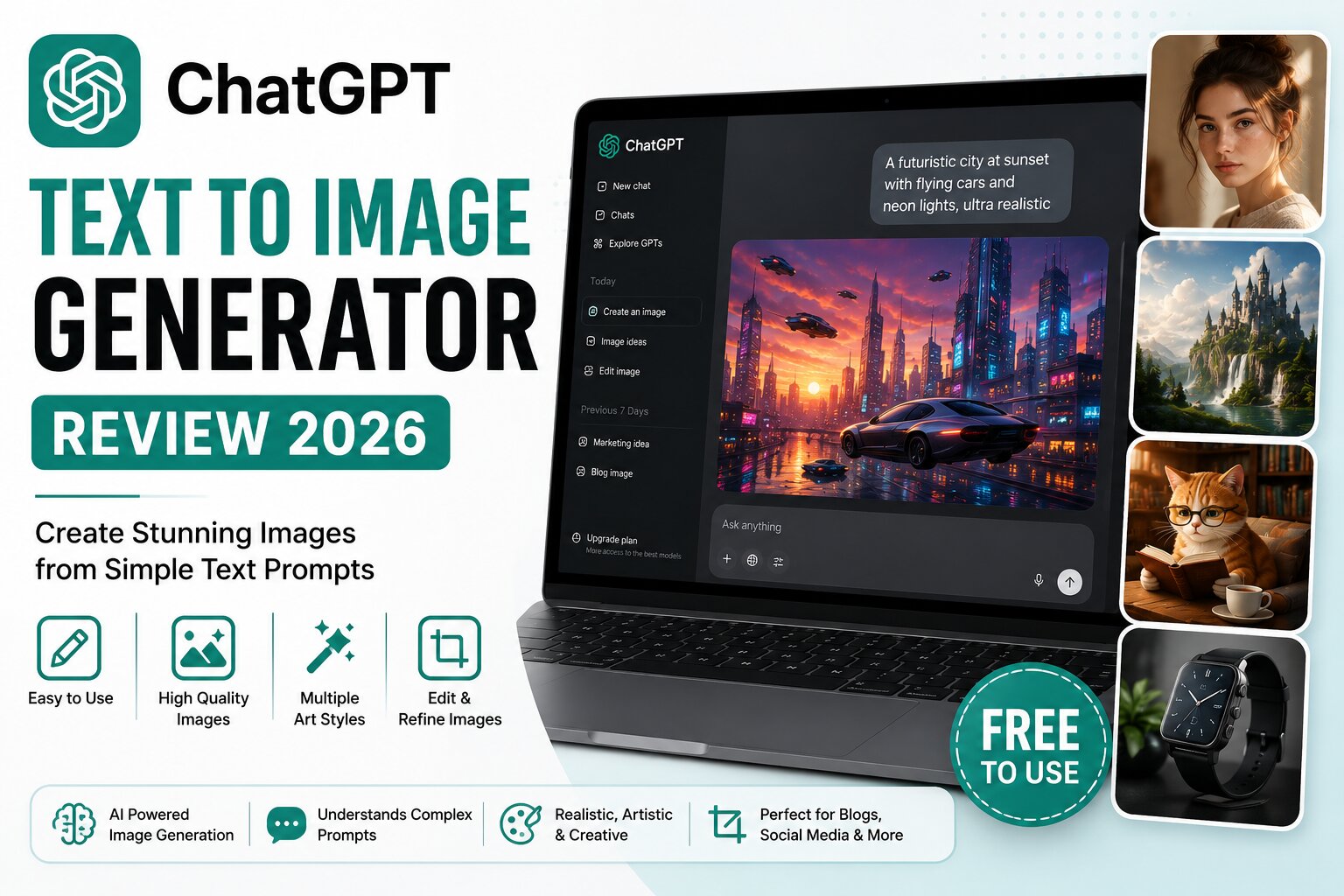
Artificial intelligence has transformed digital creativity, and ChatGPT Image Generator is one of the most powerful AI image generation tools available today. Whether you’re creating blog illustrations, YouTube thumbnails, social media graphics, marketing visuals, or concept art, it can generate professional-quality images from simple text prompts.
In this detailed review, we’ll cover everything you need to know about ChatGPT Image Generator, including its features, pricing, free plan, strengths, limitations, and tips for getting the best results.
What is ChatGPT Image Generator?
ChatGPT Image Generator is an AI-powered tool that creates images based on natural language prompts. Instead of drawing manually, you simply describe the image you want, and the AI generates it in seconds.
It supports many styles, including:
- Photorealistic images
- Digital art
- Anime
- Cartoon illustrations
- Fantasy artwork
- Product mockups
- Logos
- Icons
- Social media graphics
- Marketing banners
The tool can also edit existing images by following text instructions, making it useful for both generating new visuals and refining old ones.
Key Features
1. High-Quality Image Generation
Produces detailed, realistic, and artistic images with impressive prompt accuracy.
2. Excellent Prompt Understanding
It understands long, complex instructions better than many competing AI image generators.
3. Image Editing
You can upload an image and ask the AI to:
- Remove objects
- Replace backgrounds
- Add new elements
- Change styles
- Extend images
- Improve composition
4. Multiple Art Styles
Popular styles include:
- Realistic photography
- Watercolor
- Oil painting
- Pencil sketch
- 3D render
- Pixel art
- Cyberpunk
- Anime
- Minimalist illustration
5. Fast Image Generation
Most images are generated within seconds, allowing creators to iterate quickly.
Pros
- Easy to use
- Excellent image quality
- Strong prompt understanding
- Realistic outputs
- Creative artistic styles
- Supports image editing
- Great for marketing and blogging
- Suitable for beginners and professionals
Cons
- Free plan includes limited image generations.
- Very complex prompts may require refinement.
- Commercial use should always follow the platform’s current terms.
Is ChatGPT Image Generator Free?
Yes. A free tier is available with limited image generations, making it suitable for casual users and those who want to explore AI image creation before upgrading.
Best Use Cases
ChatGPT Image Generator is ideal for:
- Blog featured images
- YouTube thumbnails
- Facebook posts
- Instagram graphics
- Pinterest pins
- Product mockups
- Children’s book illustrations
- Website banners
- Presentation graphics
- Marketing creatives
How to Use ChatGPT Image Generator
Using the tool is simple:
- Open ChatGPT.
- Enter a detailed image prompt.
- Specify the style, lighting, colors, and composition.
- Generate the image.
- Refine your prompt if needed.
- Download and use the final image.
The more descriptive your prompt, the better the output.
ChatGPT Prompt Examples
Realistic Portrait
A professional businesswoman in a modern office, natural lighting, DSLR photography, ultra realistic, 8K.
Fantasy
A majestic dragon flying above ancient mountains during sunrise, cinematic lighting, highly detailed digital art.
Product Photography
Premium wireless headphones on a wooden desk with soft studio lighting and a blurred background.
Cartoon
A cute orange cat reading a book in a cozy library, Pixar-style illustration.
Tips for Better Results
To improve image quality:
- Be specific about the subject.
- Mention the art style.
- Describe lighting conditions.
- Specify the background.
- Include camera angles.
- Mention image quality (4K, 8K, ultra detailed).
- Use adjectives like cinematic, photorealistic, vibrant, or minimalist.
ChatGPT Image Generator vs Other AI Image Tools
| Feature | ChatGPT | Leonardo AI | Ideogram | Firefly |
|---|---|---|---|---|
| Image Quality | ⭐⭐⭐⭐⭐ | ⭐⭐⭐⭐⭐ | ⭐⭐⭐⭐☆ | ⭐⭐⭐⭐⭐ |
| Prompt Understanding | ⭐⭐⭐⭐⭐ | ⭐⭐⭐⭐☆ | ⭐⭐⭐⭐☆ | ⭐⭐⭐⭐☆ |
| Text in Images | ⭐⭐⭐⭐☆ | ⭐⭐⭐☆☆ | ⭐⭐⭐⭐⭐ | ⭐⭐⭐⭐☆ |
| Ease of Use | ⭐⭐⭐⭐⭐ | ⭐⭐⭐⭐☆ | ⭐⭐⭐⭐⭐ | ⭐⭐⭐⭐☆ |
| Free Plan | Yes | Yes | Yes | Limited |
ChatGPT Alternatives
If you want to explore other AI image generators, consider:
- Microsoft Designer
- Adobe Firefly
- Leonardo AI
- Ideogram AI
- Canva AI
- Playground AI
- Pixlr AI
Frequently Asked Questions
Is ChatGPT Image Generator free?
Yes, it offers a free plan with usage limits.
Can I use the images commercially?
Commercial use depends on the applicable terms and policies of the platform you’re using. Always check the latest licensing information before using images in client or business projects.
Does it create realistic images?
Yes. It is capable of producing highly realistic, detailed images when given clear prompts.
Can I edit existing images?
Yes. You can upload an image and ask the AI to make changes such as replacing backgrounds, removing objects, or applying different artistic styles.
Is it beginner-friendly?
Absolutely. No design experience is required to create high-quality images.
Final Verdict
ChatGPT Image Generator stands out as one of the best AI image generation tools available in 2026. It combines powerful prompt understanding, impressive image quality, and intuitive editing capabilities, making it suitable for bloggers, marketers, designers, educators, and content creators alike.
Whether you need realistic photos, artistic illustrations, or eye-catching graphics for your website and social media, it’s an excellent choice to start with.