
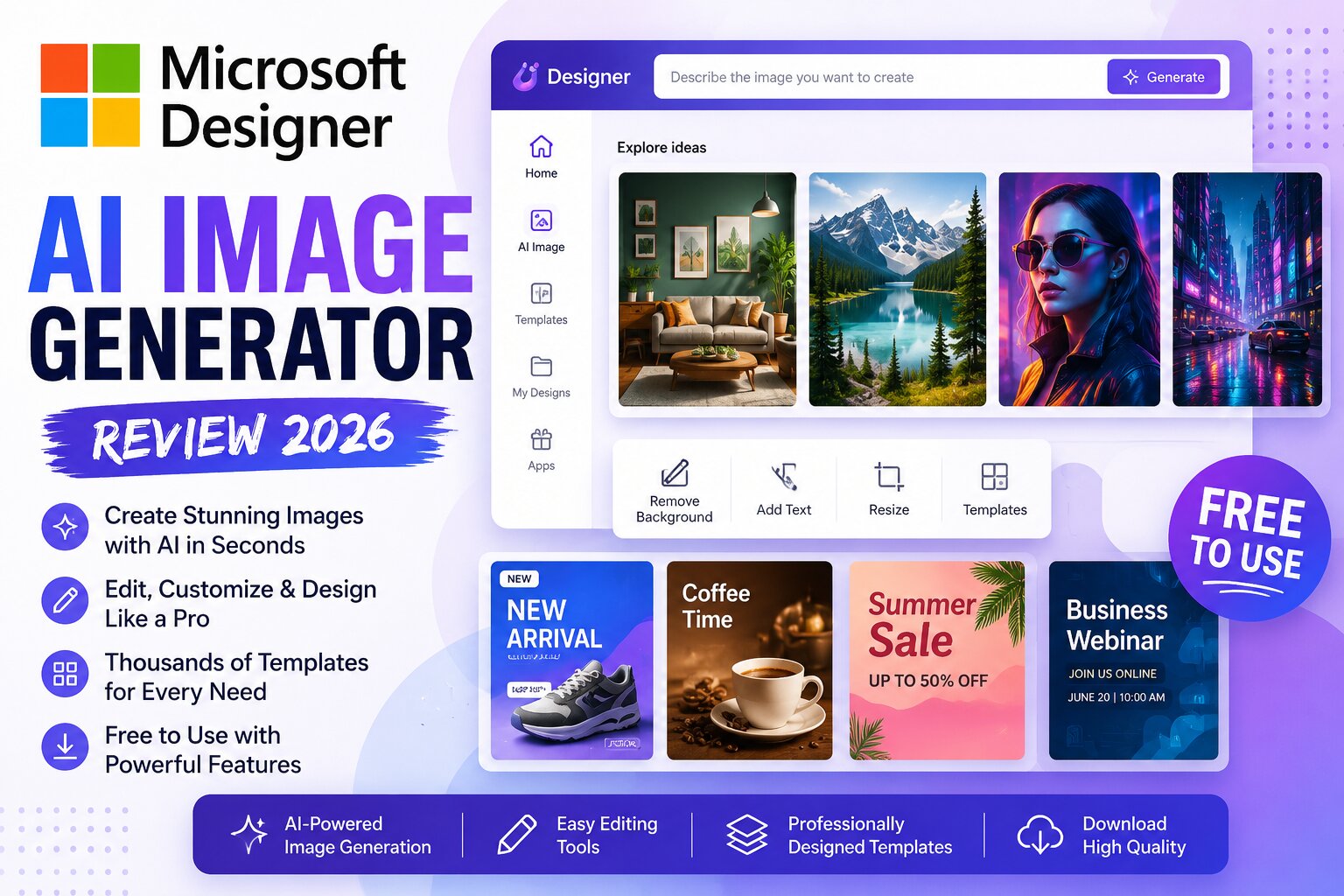
Creating stunning graphics no longer requires professional design skills. With the help of AI, anyone can generate beautiful images, social media posts, marketing materials, and presentations in just a few clicks. One of the most beginner-friendly tools available today is Microsoft Designer AI Image Generator.
Powered by advanced AI technology, Microsoft Designer combines image generation with an easy-to-use design editor, making it a great choice for bloggers, marketers, students, and business owners.
In this detailed review, we’ll explore its features, pricing, advantages, disadvantages, and whether it’s worth using in 2026.
What is Microsoft Designer AI Image Generator?
Microsoft Designer is an AI-powered graphic design platform that helps users create professional-quality visuals using simple text prompts.
Instead of designing from scratch, you simply describe the image you want, and the AI generates multiple variations within seconds. You can then customize the design using Microsoft’s built-in editor.
It’s ideal for creating:
- Blog featured images
- YouTube thumbnails
- Instagram posts
- Facebook ads
- Posters
- Invitations
- Presentations
- Marketing banners
- Product promotions
- Business graphics
Key Features
1. AI Image Generation
Simply type a prompt such as:
A modern workspace with a laptop, coffee cup, and green plants, realistic photography, soft lighting.
Within seconds, Microsoft Designer generates multiple image variations.
2. Built-in Graphic Editor
Unlike many AI image generators, Microsoft Designer lets you immediately edit your generated images.
You can:
- Add text
- Change fonts
- Insert icons
- Resize graphics
- Apply templates
- Add shapes
- Adjust colors
Everything happens in one place.
3. Ready-to-Use Templates
Microsoft Designer includes thousands of templates for:
- Instagram Posts
- Facebook Covers
- Pinterest Pins
- LinkedIn Posts
- Flyers
- Business Cards
- Presentations
- Event Invitations
This saves hours of design work.
4. Background Removal
The AI can automatically remove image backgrounds with just one click.
Perfect for:
- Product photography
- Profile pictures
- Marketing graphics
- E-commerce stores
5. AI Writing Assistance
Besides generating images, Microsoft Designer can also help create:
- Headlines
- Social media captions
- Product descriptions
- Marketing copy
- Promotional text
This makes it a complete content creation tool.
Pros
- Very beginner-friendly
- Clean and intuitive interface
- High-quality AI-generated images
- Built-in design editor
- Excellent template library
- Fast image generation
- Free plan available
- Great integration with Microsoft’s ecosystem
Cons
- Free image generation has daily or monthly limits.
- Advanced editing features are more limited than dedicated design software.
- Some AI-generated images may need prompt refinement for the best results.
Is Microsoft Designer Free?
Yes. Microsoft Designer offers a free plan that includes AI image generation and access to many templates and editing tools.
For most bloggers, students, and content creators, the free version is enough to get started.
Best Use Cases
Microsoft Designer works especially well for:
Bloggers
Create eye-catching featured images for articles.
YouTubers
Generate custom thumbnails that stand out.
Small Businesses
Design promotional graphics without hiring a designer.
Social Media Managers
Create engaging posts for Instagram, Facebook, LinkedIn, and Pinterest.
Students
Design presentations, posters, and classroom projects.
How to Use Microsoft Designer AI Image Generator
Creating images is simple:
Step 1
Open Microsoft Designer.
Step 2
Choose the AI Image Generator.
Step 3
Enter a detailed prompt describing your image.
Example:
A cozy coffee shop interior with warm lighting, realistic photography, wooden furniture, cinematic atmosphere.
Step 4
Click Generate.
Step 5
Select your favorite image variation.
Step 6
Edit the design if needed.
Step 7
Download your final image.
Microsoft Designer Prompt Examples
Blog Featured Image
A modern workspace with a laptop, notebook, coffee mug, blue lighting, realistic photography, ultra detailed.
YouTube Thumbnail
Excited young entrepreneur pointing at AI-generated artwork with colorful futuristic background, vibrant colors, bold composition.
Social Media Graphic
Minimal flat illustration of digital marketing, bright colors, clean background, modern design.
Product Advertisement
Luxury smartwatch on a black reflective surface with dramatic lighting, studio photography.
Tips for Better Results
To generate higher-quality images:
- Clearly describe the subject.
- Mention the desired art style.
- Include lighting details.
- Specify the background.
- Mention colors and mood.
- Use words like:
- realistic
- cinematic
- ultra detailed
- professional photography
- digital illustration
- minimalist
The more detailed your prompt, the better the results.
Microsoft Designer vs Canva AI
| Feature | Microsoft Designer | Canva AI |
|---|---|---|
| AI Image Generation | ⭐⭐⭐⭐⭐ | ⭐⭐⭐⭐☆ |
| Templates | ⭐⭐⭐⭐⭐ | ⭐⭐⭐⭐⭐ |
| Ease of Use | ⭐⭐⭐⭐⭐ | ⭐⭐⭐⭐⭐ |
| Editing Tools | ⭐⭐⭐⭐☆ | ⭐⭐⭐⭐⭐ |
| Free Plan | Yes | Yes |
| Social Media Design | Excellent | Excellent |
Both tools are excellent, but Microsoft Designer is particularly attractive for users who already use Microsoft products and want a streamlined workflow.
Microsoft Designer vs ChatGPT Image Generator
| Feature | Microsoft Designer | ChatGPT Image Generator |
|---|---|---|
| Prompt Understanding | ⭐⭐⭐⭐☆ | ⭐⭐⭐⭐⭐ |
| Realistic Images | ⭐⭐⭐⭐☆ | ⭐⭐⭐⭐⭐ |
| Built-in Design Editor | ✅ Yes | Limited |
| Templates | ✅ Yes | No |
| Graphic Design | Excellent | Good |
| Beginners | Excellent | Excellent |
If your goal is creating complete social media graphics or marketing materials, Microsoft Designer has an advantage because of its integrated editing tools. If you need the highest level of prompt understanding and image generation, ChatGPT Image Generator is a strong choice.
Alternatives
If Microsoft Designer doesn’t fit your needs, you can also explore:
- ChatGPT Image Generator
- Adobe Firefly
- Canva AI
- Leonardo AI
- Ideogram AI
- Playground AI
- Pixlr AI
- Mage.Space
- Craiyon
Frequently Asked Questions
Is Microsoft Designer AI Image Generator free?
Yes. A free plan is available with access to AI image generation and many design features, though usage limits may apply.
Can I use Microsoft Designer for commercial work?
Microsoft allows commercial use in many scenarios, but you should always review the latest licensing and terms of use before using AI-generated assets in business or client projects.
Does Microsoft Designer require design experience?
No. It is designed for beginners, making it easy to create professional-looking graphics without prior design skills.
Can I create YouTube thumbnails?
Yes. Microsoft Designer is an excellent choice for creating custom YouTube thumbnails, channel art, and social media graphics.
Which is better: Canva AI or Microsoft Designer?
Both are excellent options. Canva offers a larger template ecosystem, while Microsoft Designer provides a simple workflow with strong AI image generation and seamless integration with Microsoft services.
Final Verdict
Microsoft Designer AI Image Generator is one of the best free AI design tools available in 2026. Its combination of AI-powered image creation, ready-made templates, and an intuitive editing interface makes it an excellent option for bloggers, marketers, small businesses, and content creators.
If you’re looking for a tool that not only generates images but also helps you turn them into polished designs without needing advanced graphic design skills, Microsoft Designer is definitely worth trying.